Getting Started
From download to your first trade analysis - up and running in minutes.
Download & Install
Head to tradescope.dev/download and grab the latest installer. Run the .exe to install.
Verified & Code-Signed
TradeScope is digitally signed through Microsoft Azure Trusted Signing. You can verify this by right-clicking the installer → Properties → Digital Signatures.
Explore Demo Mode
TradeScope launches in Demo Mode with pre-loaded sample trade data - no NinjaTrader connection or license required. Use it to explore the Dashboard, Calendar, Trade Log, and Reports before committing to a purchase. Demo mode is fully functional and gives you a realistic feel for everything TradeScope offers.
Connect NinjaTrader
TradeScope reads directly from your NinjaTrader SQLite database - no plugins, no exports. It will attempt to auto-detect your NinjaTrader installation on first launch.
Auto-detected: You're all set - TradeScope found your database automatically.
Not found? Go to Settings and set the path manually. The default location is:
Documents\NinjaTrader 8\db\NinjaTrader.sqlite 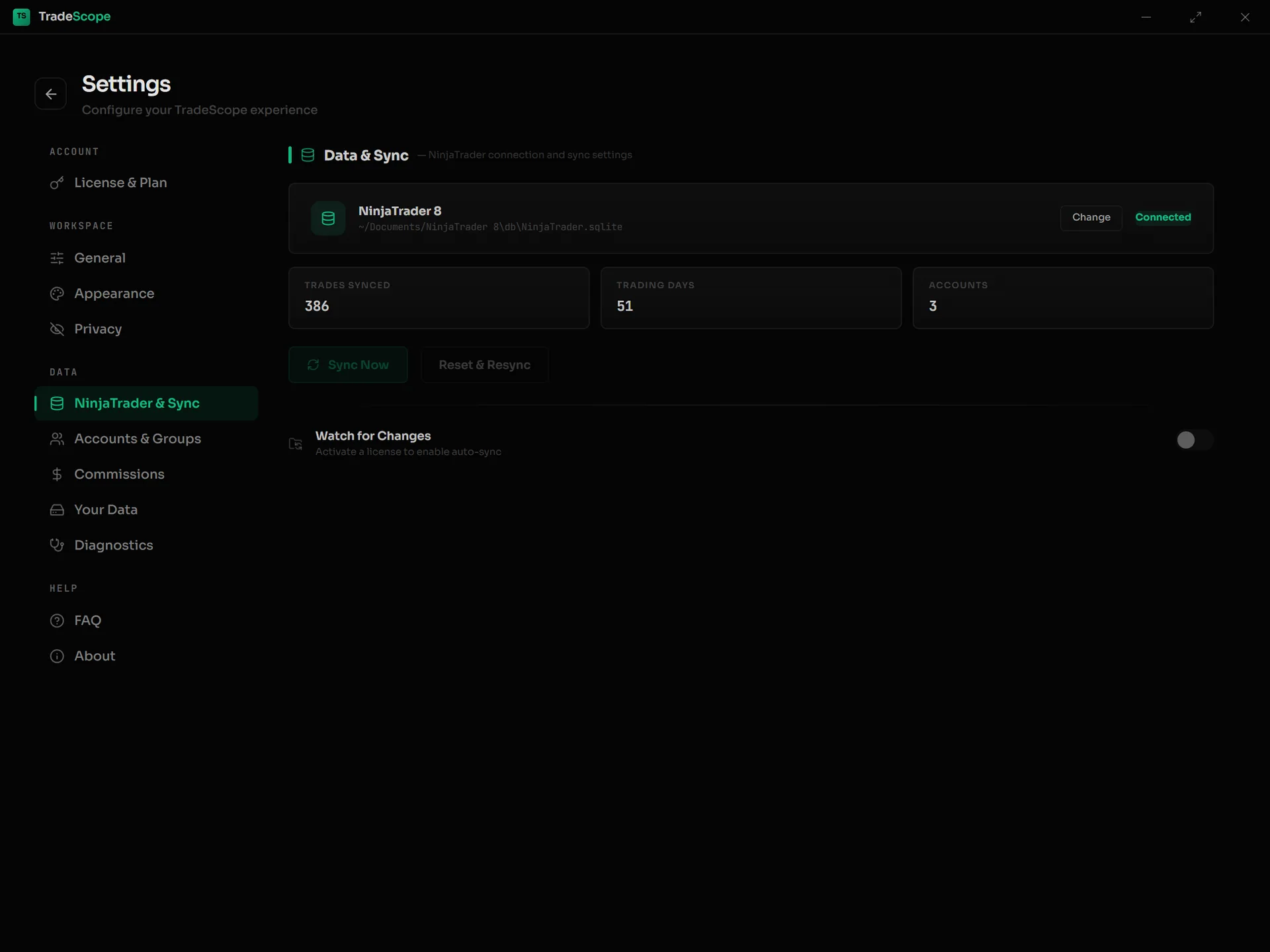
Settings → NinjaTrader & Sync — connection status, your sync stats, and the Sync Now / Reset & Resync buttons.
Sync Your Trades
Once NinjaTrader is connected, your trades sync automatically. The first sync imports your full trade history and may take a moment depending on how many trades you have. Subsequent syncs are near-instant. TradeScope never modifies your NinjaTrader data - it only reads.
Activate Your License
Ready to unlock your own trade data? After purchasing, you'll receive a license key by email. To activate:
- ① Open TradeScope and go to Settings
- ② Open License & Plan and enter your key
- ③ Click Activate
Once activated, the License section will display your email and a masked version of your key confirming the activation.
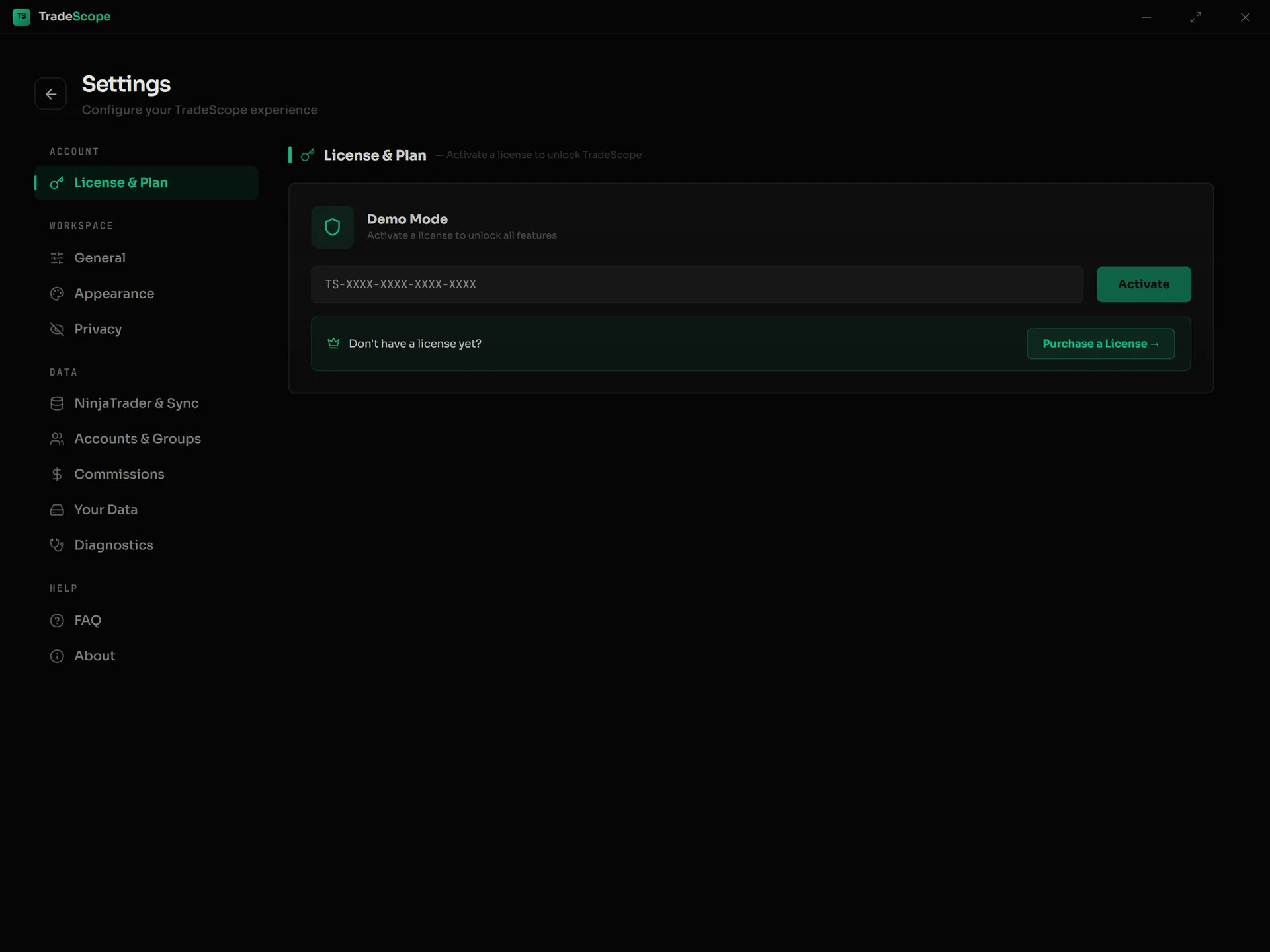
Settings → License & Plan — paste your key and click Activate.
Explore Your Data
TradeScope has four main sections, each accessible from the left sidebar:
📊 Dashboard
Today's P&L summary, win rate, profit factor, equity curve, and behavioral insights at a glance.
📅 Calendar
Monthly and yearly heatmap of your trading days. Click any day to drill into individual trades.
📋 Trade Log
Your full trade history. Filter by date, symbol, account, direction, or outcome. Sort and search everything.
📈 Reports
63 detailed performance metrics across All, Long, and Short trades. Symbol breakdowns and rolling summaries.
Streamer Mode
Sharing your screen or streaming? Streamer Mode masks your account names so they don't appear on screen. Find it in Settings → Streamer Mode. You can optionally enable a second toggle to also hide dollar amounts throughout the app.
Need Help?
Something not working? Question about your setup? Reach out at support@tradescope.dev - we're happy to help.