License Activation
How to find your license key, activate TradeScope, and manage your license across machines.
Find Your License Key
After purchasing TradeScope, your license key is delivered by email. Here's where to look:
Check your inbox for an email from noreply@tradescope.dev - it contains your key and order details.
Didn't see it? Check your spam/junk folder - automated order emails sometimes land there.
You can also find and manage your key in the customer portal at tradescope.dev/account.
Open Settings → License
Launch TradeScope and click Settings in the left sidebar, then choose License & Plan — the first item in the settings menu. You'll see a key entry field with an Activate button.
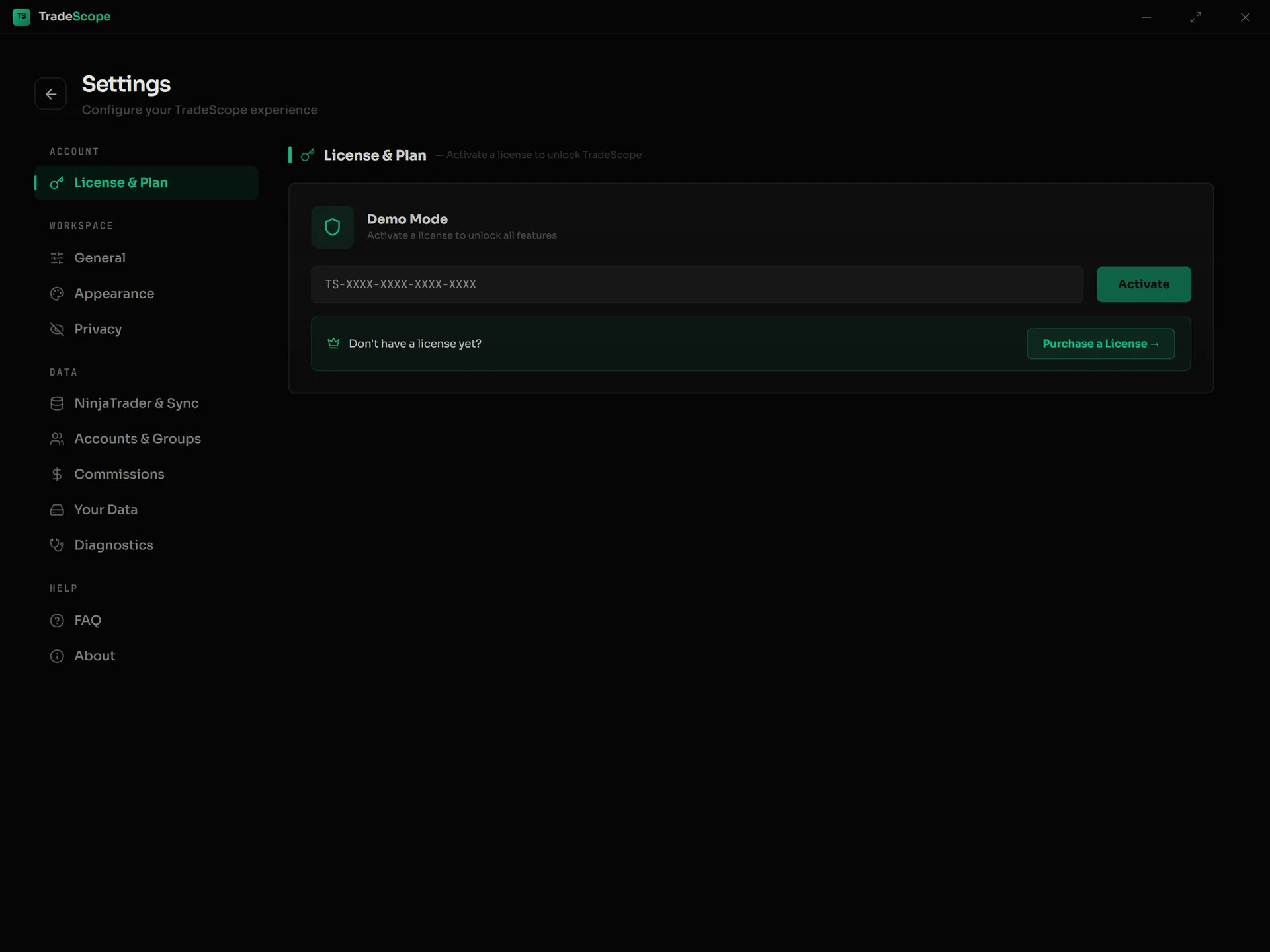
The License & Plan page before activation — enter your key here. Don't have one yet? The Purchase link opens checkout.
Enter Your Key & Activate
Paste your license key into the field and click Activate. TradeScope will verify the key against the activation server.
Activation Confirmed
Once activated, the License section will show your email address and a masked version of your key (e.g. TS-XXXX-XXXX-••••). This confirms your license is active on this machine.
Managing Your License
A single TradeScope license can be active on up to 2 machines at a time. Here's what you need to know:
Moving to a New Machine
Deactivate your license on the old machine first (Settings → License → Deactivate), then activate on the new one. Or manage it from the customer portal.
2-Machine Limit
Your license covers you on up to 2 computers simultaneously - for example, a desktop and a laptop. Need more? Contact support.
Machine Replaced or Crashed?
If you can't deactivate from the old machine, use the customer portal to release the seat, or email support and we'll sort it out quickly.
OS Reinstall
After a fresh Windows install, re-activate with your key. If the old activation still counts against your limit, email support and we'll release the stale seat right away.
Customer Portal
Manage everything from the self-service portal at tradescope.dev/account:
- View your license key and order history
- See which machines your license is active on
- Check how many seats are in use — to release a seat on a machine you no longer use, deactivate from inside the app on that machine, or email support and we'll clear it for you
Need Help?
License issues? Key not working? Email support@tradescope.dev and we'll get you sorted out quickly.